Connected account onboarding is the part of an embedded-finance product where a seller, contractor or business submits identity details and accepts the platform’s service agreement. The hard choice is not whether to collect the fields. It is how much of that changing compliance flow your product should own.
Documentation checked: 19 October 2026. This guide describes Stripe Connect’s published onboarding options on that date; product availability and requirements can change.
The three onboarding routes
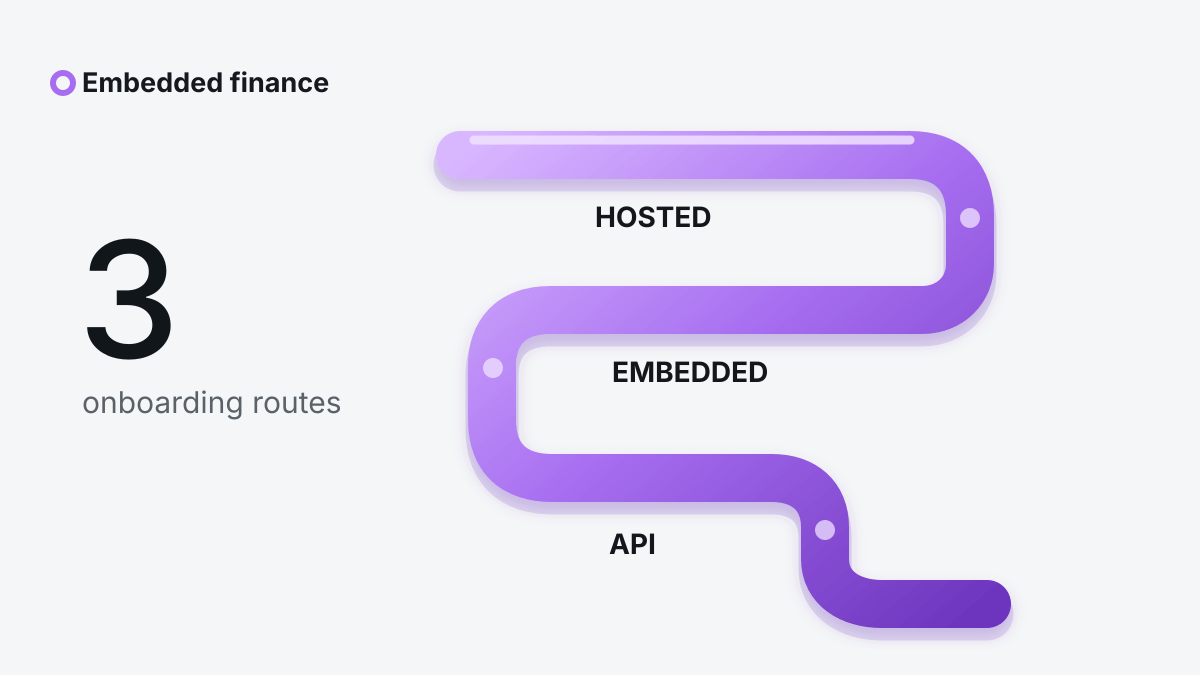
Stripe Connect documents three ways to onboard a connected account: Stripe-hosted onboarding, embedded onboarding components and a fully API-built flow. They all feed the same connected-account model, but the maintenance burden is very different.
| Route | What the user sees | What your team owns | Best fit |
|---|---|---|---|
| Hosted | A Stripe page opened from your product | The hand-off, return path and account-state handling | Teams that want the smallest compliance UI surface |
| Embedded | Stripe components inside your interface | Product framing, navigation and surrounding support | Platforms that need a more continuous brand experience |
| API-built | Your own screens and field logic | Collection, validation, localization and requirement updates | Teams with a strong reason to control every screen |
Stripe rates the API route as the highest effort and warns that the platform must keep its integration current as requirements change. Its documentation recommends reviewing the onboarding flow at least every six months when the platform collects requirements with the API. That is a maintenance commitment, not a one-time front-end project.
Start from capabilities, not from a form
A connected account does not have one universal checklist. The information required depends on the country, business type and capabilities the platform requests. Payments and payouts can introduce different requirements. Asking for a capability too early can therefore add questions the user did not need to answer yet.
Map the minimum capability needed for the first useful action. Then decide whether later capabilities should be requested incrementally. Stripe-hosted onboarding supports both up-front and incremental collection. Up-front collection reduces the chance of another interruption later; incremental collection shortens the first session but creates a requirement to bring the user back.
For a broader view of the product roles around the flow, see our guide to B2B embedded finance. If the connected account will also accept customer payments, embedded payments for accounting software shows where merchant, refund and payout responsibilities sit.
Hosted onboarding: the safest default for many teams
Stripe-hosted onboarding is a co-branded page. Your server creates a single-use Account Link and redirects the user to it. The link is temporary and should be delivered inside an authenticated part of your product, not emailed or exposed as a reusable public URL.
The return URL is only a navigation destination. Stripe explicitly notes that a user reaching it does not prove onboarding is complete. The user might have skipped fields, closed a step or triggered a new requirement. After the return, read the account state and present the next action from that state.
A robust hosted flow therefore needs four pieces:
- an authenticated start action;
- a server-side request for a fresh Account Link;
- a return page that reads current account requirements;
- a recovery path that can create another link when the first expires or is used.
Hosted onboarding is usually the right baseline when speed, localization and automatic requirement updates matter more than owning every visual detail.
Embedded onboarding: continuity without rebuilding the rules
The embedded Account Onboarding component keeps the collection experience inside the platform’s interface. Stripe supplies the form logic while the platform controls the page around it. This can remove the visual break of a redirect and still let Stripe update required fields.
Embedded does not remove the platform’s state-management work. Your product still needs to know whether an account can charge, receive payouts or has outstanding requirements. It also needs a support route for users who cannot complete verification. Treat the component as one part of the account lifecycle, not as the lifecycle itself.
This route suits products where context matters during onboarding: for example, a marketplace that needs to explain why tax or identity information is being requested before it renders the component.
API onboarding: control comes with a change queue
With API onboarding, your product collects the information and sends it to Stripe. This offers the most control over order, copy and placement. It also makes your team responsible for building every required input, handling validation and reacting to future requirements.
The practical cost is larger than the number of screens. You need:
- a schema that can add fields without breaking old clients;
- localization for identity, address and business terminology;
- secure handling for sensitive values;
- a way to distinguish missing, pending and rejected information;
- regression tests for each supported country and account type;
- an owner for requirement changes after launch.
If a roadmap cannot fund that ongoing work, custom API onboarding is usually an expensive way to reproduce a maintained component.
Do not use the return URL as approval
The most common implementation mistake is turning a successful redirect into a green status. Instead, base access on the account fields and capabilities returned by the provider.
For a Stripe Connect integration, the product should separately track at least:
- whether details have been submitted;
- whether charges are enabled;
- whether payouts are enabled;
- which requirements are currently due;
- which future requirements are known;
- whether the account is restricted or pending review.
The exact set depends on the account configuration. The principle is stable: navigation is not verification, and verification is not necessarily permission for every capability.
A decision rule that holds up
Choose hosted onboarding unless a specific product constraint rules it out. Move to embedded when the redirect materially harms completion or support. Build with the API only when the business value of full control is large enough to fund continuous compliance-interface maintenance.
That sequence also keeps reversibility. A platform can learn where users struggle in a hosted flow before committing to a larger custom build.
Launch checklist
Before launch, test the full lifecycle rather than one happy path:
- a new account that finishes in one session;
- an expired or already-used link;
- a user who returns with fields still due;
- a capability added after initial onboarding;
- a rejected document or manual review;
- a requirement that appears after the account was active;
- a user who needs to resume from another device;
- a restricted account that must not be allowed to transact.
Log state transitions and provider event IDs. Do not log identity documents or raw sensitive values. Support staff need enough context to explain the next step without gaining access to the underlying personal data.
Questions product teams usually ask
Can we mark onboarding complete after the redirect?
No. Read the connected account’s current requirements and enabled capabilities after the user returns.
Is hosted onboarding always off-brand?
It is co-branded and redirects away from your interface. If continuity is essential, the embedded component offers more control over the surrounding experience without rebuilding every field.
Does embedded onboarding eliminate compliance work?
No. It reduces form maintenance. The platform still owns product eligibility, user communication, account-state handling and its own legal obligations.
When is API onboarding justified?
When a supported use case needs a sequence or interaction the hosted and embedded options cannot provide, and the team can maintain country-specific requirements over time.